

Updated
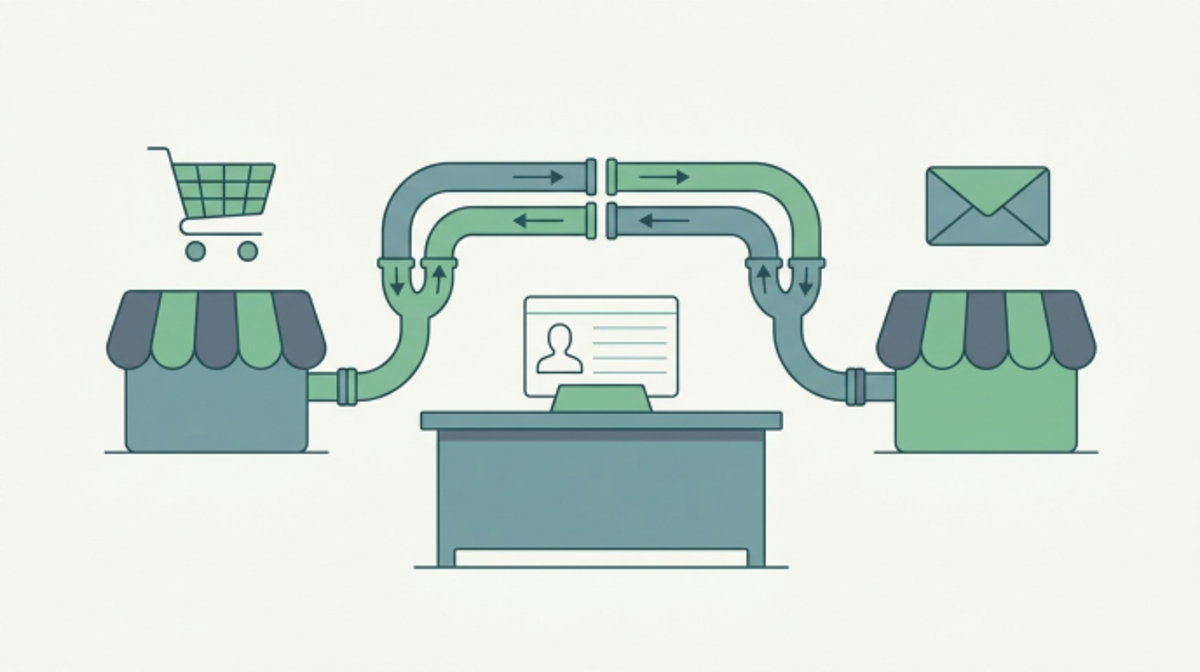
HubSpot and BigCommerce share a customer record through an app HubSpot built and lists under its own name, BigCommerce Data Sync, and the listing promises to sync BigCommerce customers, products, and orders to HubSpot with real-time updates and stops at those three. Once the install finishes, a shopper who checks out on the storefront shows up in HubSpot as a contact with the orders attached, so the marketer writing the email and the merchandiser writing the product page are describing the same person and the same purchase. The connection takes an afternoon when the field mappings stay at their defaults. The work that follows is deciding which system wins when the two disagree, and then keeping the mappings alive, because what breaks a live sync first is a new field on either side or a change to a custom field’s type.
What the HubSpot and BigCommerce data sync moves on its own
The HubSpot marketplace listing maps three BigCommerce objects to three HubSpot objects, customers to contacts, products to products, and orders to orders, and each of the three runs in both directions, so an address a rep corrects in HubSpot flows back to the store and a price change in BigCommerce flows into the HubSpot product library. The listing carries one caveat in plain sight, orders sync without line items, so the order record in HubSpot knows the total, the date, and the customer, and the SKUs in the box stay in the store. The listing also promises automatic historical data sync during the initial connection, so a store’s whole order history lands on each contact without an import file.
Where a BigCommerce order lands inside HubSpot
HubSpot’s orders object is newer than deals and built for a different job, the knowledge base describes the object as a record that keeps track of what was purchased, how it was configured, and how it will be fulfilled, and leaves billing and revenue recognition to other objects, which is why the HubSpot-built app puts BigCommerce orders there and leaves the deal pipeline alone. An order can be associated with a contact, a company, a cart, and a deal, and orders can be created by workflow actions, so a large wholesale order can become a deal through a workflow without a change to the sync. The partner-built connectors on the BigCommerce marketplace take the other route, Unific syncs orders and checkouts to HubSpot as Deals and Randem creates orders as deals, so the choice of app decides whether an order shows up in the sales pipeline or in the commerce objects, and which reports and workflows the team can build afterward.
Why abandoned carts need a partner app on BigCommerce
A merchant asks about abandoned carts first, and the HubSpot-built app does not list them. HubSpot’s own page on the cart object says the object holds abandoned carts from Shopify and other e-commerce apps, naming Shopify, NetSuite, and WooCommerce as the sources and leaving BigCommerce off the list. A BigCommerce merchant who wants a cart abandonment email running out of HubSpot has two paths, BigCommerce’s own abandoned cart saver, which runs inside the store and does not touch the CRM, or a partner connector such as Unific, whose listing states that Unific syncs orders and checkouts (including abandoned carts) to HubSpot as Deals with 150 or more default mapped fields. My call is the second path, the transactional emails get handled by HubSpot so the whole customer conversation stays cohesive in one place, a store-side saver keeps the cart email with the merchandiser and away from the rest of the sequence, and BigCommerce’s own guide to ecommerce CRM integration makes the case for the second path, a CRM earns its keep when the CRM holds transaction data and site activity beside the contact.
Which fields the merchant maps by hand
HubSpot’s data sync setup runs from Settings, then Integrations, then Connected Apps, and the first screen asks for a direction, the knowledge base offers three, data syncs between apps, data syncs only to HubSpot, or data syncs only to your third-party app, and for a store I would start with data flowing only to HubSpot, so a typo a rep makes in the CRM cannot overwrite a shipping address the shopper typed at checkout. HubSpot will analyze the names and field types in both systems to suggest matches, including custom properties when a merchant clicks Generate mappings, but a customer group, a wholesale tier, a store credit balance, or a subscription flag lives in a BigCommerce custom field and needs a HubSpot property and a mapping added by hand, which the same article says requires a paid Data Hub subscription. The setup page also asks which app wins on a conflict, HubSpot calls the winner the default app that’ll overwrite the other when there are data discrepancies, and the sensible answer for a store is BigCommerce for anything the shopper typed and HubSpot for anything a person on the team typed. Two more rules go with those. A customer success manager owns data cleanup as a standing job, not a one-time project at connection, and the ingestion carries formatting rules of its own, a capital letter on the first letter of a first name and lowercase after it, and the same treatment on the last name, the city, and the rest of what a shopper typed with the caps lock on.
Three workflows to build the week HubSpot and BigCommerce connect
The first workflow is post-purchase, triggered when a new order associates with a contact, sending a thank-you with the care instructions or the setup guide for the product the customer bought, and post-purchase is the one workflow that runs from the HubSpot-built sync alone. The second is the win-back, a list of contacts whose latest order date is older than the store’s reorder window, with one email that names the product the customer bought last and the one that pairs with it, the plainest version of the loop marketing idea, since a customer who already bought is the cheapest customer to reach. The third is the abandoned cart, which waits on the partner connector from the section above, and my answer on the order is to build all three, the cart flow included, rather than waiting to see whether the first two earn the second app. Each of the three depends on the order record carrying the right fields, which is why the mapping work comes first, and why a portal connected in a hurry needs a HubSpot portal audit before the automation makes sense.
Where the product copy has to match
The product sync carries the name, price, and description across, so the description a merchant wrote for the storefront becomes the description a marketer sees when dropping a product into a HubSpot email, and copy written for a category page reads like a category page inside a post-purchase email. An earlier Content Cucumber post on keeping content consistent across HubSpot and BigCommerce made the case for one content owner, and the sync makes the case concrete, the storefront copy is the email copy now, so the merchant who rewrites product descriptions for search is also rewriting the nurture sequence. HubSpot templates carry the rest, since a template that pulls the product name and image from the synced product record means nobody retypes a product name into an email or sends a description that no longer matches the page the customer bought from.
How to check the sync after the first month
Open a contact who ordered after the sync went live and read the timeline, the order needs to be there with the right total and the right date, the product association needs to point at the product the shopper bought, and if either is missing the mapping page shows which field has no source. Then open the connected app’s sync settings and confirm the direction and the conflict rule are still the ones the team chose, because an admin flipping the sync to both directions is how a rep’s typo reaches a shipping label. Then count the properties, because a connector that adds a hundred fields to each contact makes the portal harder to read, and a HubSpot portal audit starts with the contact object for the same reason, since the revenue sits on the contacts and a hundred extra properties bury it.
If you would rather have a second set of eyes on the portal before the sync goes live, the free HubSpot audit from Content Cucumber reads the contacts, properties, workflows, and forms your BigCommerce store is about to feed and returns a prioritized list of what to fix first.
Explore our writing services
Content Services →Frequently Asked Questions
The HubSpot marketplace listing for BigCommerce Data Sync names three objects, BigCommerce customers sync to HubSpot contacts, products sync to products, and orders sync to orders, in both directions with real-time updates and an automatic historical data sync during the initial connection. Orders sync without line items, so the SKUs in an order stay in the store.
With the HubSpot-built app an order lands in HubSpot's orders object, which the knowledge base describes as a record of what was purchased, how it was configured, and how it will be fulfilled, and which can be associated with a contact, a company, a cart, and a deal. Partner connectors on the BigCommerce marketplace such as Unific and Randem take a different route and create orders as deals in the sales pipeline.
The HubSpot-built BigCommerce Data Sync listing names customers, products, and orders and does not list abandoned carts, and HubSpot's page on the cart object names Shopify, NetSuite, and WooCommerce as sources without mentioning BigCommerce. A BigCommerce merchant who wants abandoned carts in HubSpot uses a partner connector such as Unific, whose listing states that it syncs orders and checkouts, including abandoned carts, to HubSpot as deals.
HubSpot suggests default mappings by analyzing field names and types in both systems, but a BigCommerce custom field such as a customer group, a wholesale tier, a store credit balance, or a subscription flag needs a HubSpot property built for it and a custom mapping added by hand, which HubSpot's data sync article says requires a paid Data Hub subscription. The setup page also asks which app wins when the two systems disagree on a value.
A post-purchase workflow triggered when a new order associates with a contact runs from the HubSpot-built sync alone, a win-back workflow built on the latest order date reaches customers who already bought, and an abandoned cart workflow waits on a partner connector that syncs checkouts as deals. Each depends on the order record carrying the right fields, so the field mapping comes before the automation.
